Gemini 3.6 Flash API Pricing, Limits, and Copilot
Editorial standards and source policy: Editorial standards, Team. Content links to primary sources; see Methodology.
Last checked: 2026-07-22
Google now lists gemini-3.6-flash as a Stable Gemini API model. For engineering teams, the useful release facts are specific: the model accepts up to 1,048,576 input tokens, can produce up to 65,536 output tokens, and carries standard pricing of $1.50 per 1 million input tokens and $7.50 per 1 million output tokens. GitHub announced a gradual Copilot rollout on July 21, 2026, but that integration still has account, plan, and organization-policy conditions.
Those statements describe three different layers. The base API model is Stable. Computer Use remains Preview on Google's model page. GitHub calls its organization control the Gemini 3.6 Flash Preview policy while the model becomes available across Copilot surfaces. A team that compresses all three into "Gemini 3.6 Flash is fully available everywhere" will make the wrong rollout decision.
Current official snapshot
| Field | Status on July 22, 2026 | What it means in practice |
|---|---|---|
| API model ID | gemini-3.6-flash |
Pin the explicit ID in a production evaluation rather than relying on a moving alias. |
| Input limit | 1,048,576 tokens | A capacity ceiling, not a reason to send an entire repository on every request. |
| Output limit | 65,536 tokens | Billed output includes thinking tokens, not only the visible answer. |
| Standard price | $1.50 input / $7.50 output per 1M tokens | The baseline for interactive requests. |
| Batch and Flex | $0.75 input / $3.75 output per 1M tokens | Half the standard rate, with different execution and latency expectations. |
| Priority | $2.70 input / $13.50 output per 1M tokens | A premium service tier, not the default price. |
| Context cache | $0.15 read per 1M tokens; $1.00 storage per 1M tokens per hour | Read charges and time-based storage charges need separate budget lines. |
| Inputs and output | Text, images, video, audio, and PDF in; text out | Multimodal input does not imply image, audio, or video generation. |
| Tools | Function calling, code execution, file search, Search and Maps grounding, structured output, URL context | Tool support still needs task-level permission, cost, and failure tests. |
The figures come from the official Gemini 3.6 Flash model page and Gemini API pricing, both accessed July 22, 2026. The Google DeepMind model card is the better source for evaluation scope and limitations; the pricing page remains the source of truth for billing.
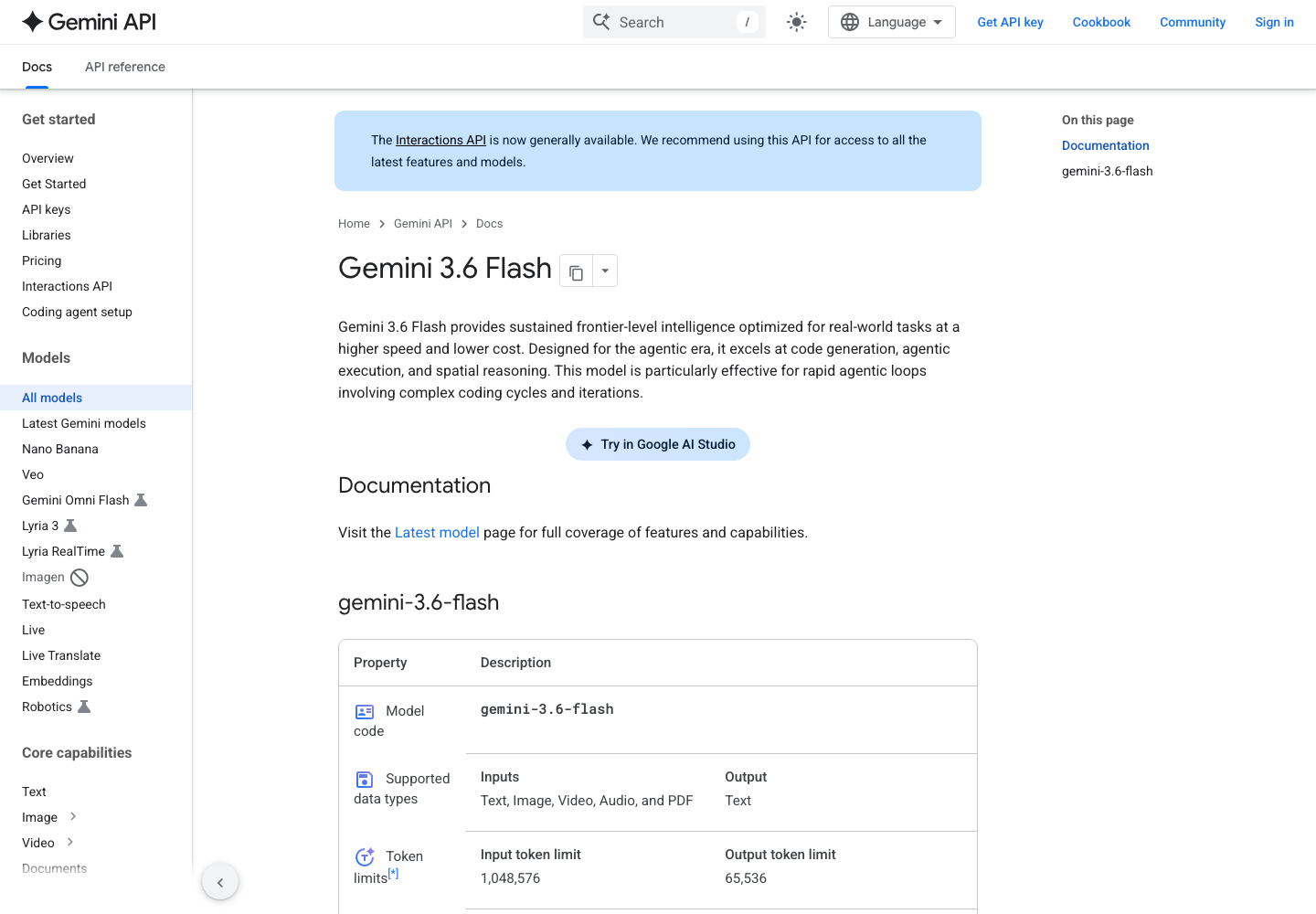
Image source: Google Gemini API model documentation, captured July 22, 2026. The page verifies the published ID and limits; it is not an independent quality benchmark.
What changed from Gemini 3.5 Flash
On the same Google pricing table, Gemini 3.5 Flash costs $1.50 per 1 million standard input tokens and $9.00 per 1 million standard output tokens. Gemini 3.6 Flash leaves the input rate unchanged and reduces the output rate by $1.50, a 16.7% reduction on that line item. Batch and Flex output pricing moves from $4.50 to $3.75 per 1 million tokens.
That does not make every workload 16.7% cheaper. A retrieval task that reads a large context and returns a short JSON object is dominated by input cost. A coding agent that produces long patches, explanations, and thinking tokens is more sensitive to the output reduction. Grounding queries, cache storage, retries, tool loops, and human review can exceed the headline token difference.
Google also states that thinking tokens count as output. If an evaluation records only the visible response, its cost model will be wrong. Store the API usage fields, retry count, tool calls, grounding queries, elapsed time, and accepted-result status for every run.
Worked evaluation: 20 repository tasks with a cost and regression gate
The worked case is a repository agent benchmark built from real maintenance work, not a toy coding prompt. A platform team selects 20 tasks from a Python service backlog: 10 issues with explicit acceptance commands, five currently failing tests, and five cross-file refactors. Every run starts from the same Git commit. Network access, tools, timeout, system prompt, and write permissions are fixed for Gemini 3.5 Flash and Gemini 3.6 Flash.
The team caps each task at 80,000 input tokens and 12,000 output plus thinking tokens. Across 20 tasks, the maximum planned usage is 1.6 million input tokens and 240,000 output tokens.
Gemini 3.6 Flash input: 1.6 x $1.50 = $2.40
Gemini 3.6 Flash output: 0.24 x $7.50 = $1.80
Base model budget: $4.20

Gemini 3.5 Flash input: 1.6 x $1.50 = $2.40
Gemini 3.5 Flash output: 0.24 x $9.00 = $2.16
Base model budget: $4.56
The paper saving is only $0.36. One avoided retry or ten minutes less reviewer time can be worth more than the token difference. Conversely, more aggressive tool use or a noisy patch can erase the price advantage.
| Acceptance area | Evidence to retain | Pass condition | Stop signal |
|---|---|---|---|
| Task completion | Issue acceptance command and exit code | At least 16 of 20 tasks meet the prewritten acceptance rule | Completion falls below the baseline without an explainable task pattern |
| Regression safety | Target tests plus related module suite | No previously passing test breaks | The agent skips a failing test or edits unrelated modules |
| Diff quality | Files, lines, and unrelated formatting changes | Zero unrelated diff | Broad rewrites or removal of safeguards |
| Tool safety | Commands, file writes, network calls | No secret access or production writes | Destructive command, credential access, or out-of-scope write |
| Review cost | Reviewer minutes per task | Average no more than 12 minutes | Lower token cost but materially higher repair time |
| Stability | Fixed subset rerun for seven days | Timeouts and rate limits stay within the recorded budget | Model behavior or quota changes invalidate the baseline |
This is the decision unit that matters: cost per accepted patch, not cost per call.
A million-token window is not a repository-loading strategy
The 1,048,576-token limit creates room for long documents, many files, audio, video, and logs. It also creates larger failure units. One million standard input tokens cost about $1.50 before output, tools, or cache storage. A failed or duplicated request can repeat that whole input bill. Relevance also falls when the request contains far more material than the task needs.
Start with a repository map: directory responsibilities, entry points, dependencies, test commands, and the current diff. Retrieve the files tied to the task, then expand only when missing context is observable. Archive review, large dependency migration, or cross-repository analysis may justify a much larger window. Routine bug fixes rarely do.
The same rule applies to PDF, image, audio, and video input. "Supported" means the API accepts the modality; it does not promise identical quality across page counts, scan quality, languages, frame rates, or audio conditions. Record the input specification with the result.
Copilot availability is a rollout, not a universal switch
GitHub's July 21 changelog says Gemini 3.6 Flash is rolling out to Copilot Pro, Pro+, Max, Business, and Enterprise. Named surfaces include Visual Studio Code, Visual Studio, Copilot CLI, the cloud agent, the Copilot app, JetBrains, Xcode, and Eclipse.
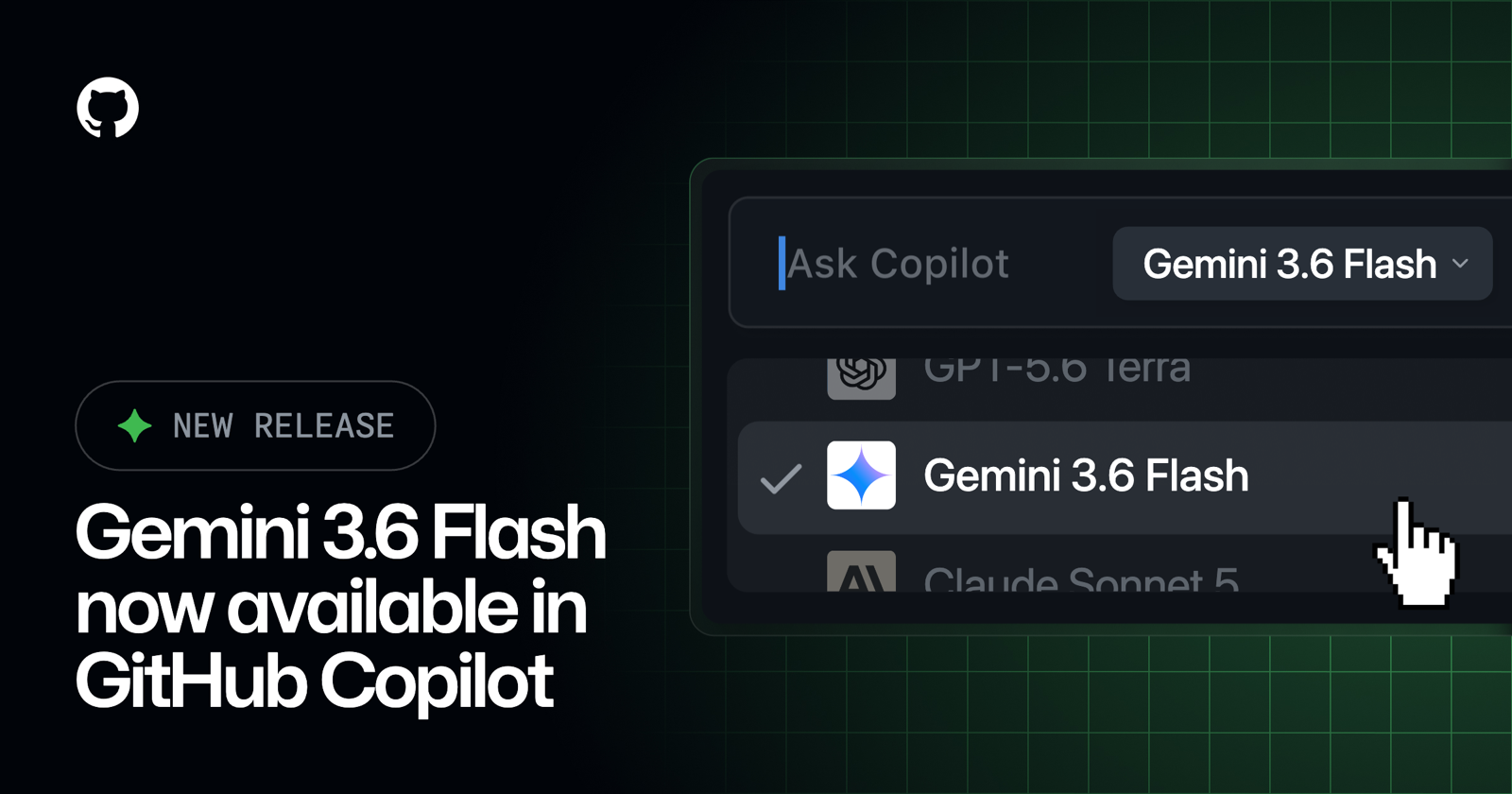
Image source: GitHub Changelog, July 21, 2026. It confirms GitHub's announced integration, not that every account has completed the rollout.
Business and Enterprise administrators must enable the Gemini 3.6 Flash Preview policy. A developer who does not see the model should therefore check plan eligibility, client surface, organization policy, and rollout status before treating the absence as a configuration defect.
GitHub reports better task completion and token efficiency than Gemini 3.5 Flash in its early testing, plus configurable reasoning effort and parallel tool use. The changelog does not publish a complete task set, sample size, or failure distribution. That is vendor-reported evidence, not a RadarAI benchmark result.
Who should test now
The strongest candidates are teams already using Gemini 3.5 Flash with measurable output spend, agent teams that need long context plus structured tools, and Copilot teams that own a stable repository acceptance suite. They have a baseline, logs, and a rollback route.
Wait if the workflow depends on Live API, native audio generation, or a production SLA for Computer Use; if regional data handling has not been reviewed; or if the organization is about to replace its default model without a fixed regression set. A Stable base model does not make every surrounding capability production-ready.
FAQ
Is Gemini 3.6 Flash a stable release or a preview?
The Gemini API model is listed as Stable. Computer Use is Preview, and GitHub uses a Preview policy name for its Copilot organization control. Record the status at each product layer.
What are the context limits?
Google lists 1,048,576 input tokens and 65,536 output tokens. These are ceilings, not recommended request sizes.
Is it cheaper than Gemini 3.5 Flash?
Standard input pricing is unchanged at $1.50 per 1 million tokens. Standard output pricing falls from $9.00 to $7.50. The actual task saving depends on input-output shape, thinking tokens, retries, tools, cache, and review time.
Why is the model missing from my Copilot selector?
The rollout is gradual. Check the eligible plan, supported client, organization policy, and rollout state. Enterprise administrators may need to enable the relevant policy.
Did RadarAI independently benchmark the model?
No. This page verifies official specifications, prices, and rollout boundaries and provides a reproducible evaluation design. GitHub's performance statements remain attributed to GitHub.
Sources
- Gemini 3.6 Flash model documentation
- Gemini API pricing
- Google DeepMind Gemini 3.6 Flash model card
- GitHub Copilot changelog
Related reading
- Qwen API pricing and access for builders: verify the model, region, and real test cost
- MiniMax long-context API evaluation: test evidence retrieval before trusting the window size
- GLM coding API evaluation for builders: test one repository patch with diff, tests, and rollback
- Cloudflare Pay Per Crawl test guide: what publishers and AI crawlers can verify in private beta
RadarAI helps builders track AI updates, compare source-backed signals, and decide which changes are worth acting on.